
Download Airbrush – AI‑Powered Image Generator, Free & Secure
Overview
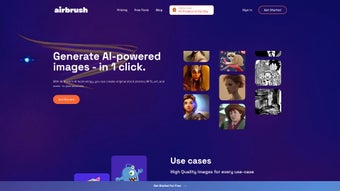
Airbrush is a cutting‑edge, web‑based application that harnesses the power of artificial intelligence to create stunning, high‑resolution images in seconds. Designed for marketers, designers, content creators, and anyone who needs unique visual assets, Airbrush eliminates the time‑consuming hunt for stock photos or the steep learning curve of traditional graphic software. By integrating two of the most advanced AI engines—Stable Diffusion and DALL·E 2—Airbrush lets users input simple keywords, tags, or even descriptive sentences and receive instantly generated visuals that are ready for commercial use.
Whether you are building an advertising campaign, drafting a presentation, designing a website, or experimenting with NFTs, Airbrush provides a fast, reliable, and cost‑effective solution. The platform offers flexible subscription plans, ranging from a generous free tier to premium packages that unlock higher resolution outputs, priority processing, and extended usage rights. All generated images are stored securely in the cloud, giving users immediate access and the freedom to download, edit, or embed them directly into projects.
Airbrush’s focus on ease‑of‑use, speed, and legal clarity makes it a standout tool in the crowded AI‑art market, and its browser‑based nature means you can work from any device without the need for heavy installations. In addition to its core generation capabilities, Airbrush provides a built‑in editor for quick adjustments, batch processing for large‑scale campaigns, and an API for developers who want to integrate AI‑generated visuals directly into their own workflows. Security is baked in with end‑to‑end TLS encryption, two‑factor authentication, and GDPR‑compliant data handling, ensuring that both your personal information and creative assets remain private.
With regular updates driven by community feedback, Airbrush stays at the forefront of AI image generation, making it a future‑proof investment for anyone serious about visual storytelling.
Key Features that Set Airbrush Apart
- Dual AI Engines: Stable Diffusion for artistic flexibility and DALL·E 2 for photorealistic precision.
- Instant Image Generation: Produce high‑quality visuals in under 10 seconds on average.
- Keyword & Tag‑Based Search: Use simple text prompts, hashtags, or detailed descriptions to guide the AI.
- Multiple Output Formats: PNG, JPEG, SVG, and even layered PSD files for further editing.
- Commercial‑Ready Licensing: Full usage rights for all generated images, ideal for ads, books, and merchandise.
- Cloud Storage & Library: Securely save, organize, and retrieve past creations from any device.
- Subscription Flexibility: Free tier with daily limits, Pro plan with unlimited generations, and Enterprise options.
- Batch Generation: Create up to 20 variations of a concept in a single request, perfect for A/B testing.
- Integrated NFT Minting: Directly export images to popular blockchain platforms for instant NFT creation.
- Regular Updates: Continuous AI model improvements and UI enhancements based on community feedback.
Each feature has been carefully crafted to address real‑world workflow challenges. For instance, the batch generation capability saves marketers hours of manual iteration when testing visual concepts across multiple ad sets. Meanwhile, the dual‑engine approach ensures that whether you need a surreal illustration or a crisp product photo, Airbrush can deliver the appropriate style without requiring you to switch platforms.
The cloud library also means that teams can collaborate on a shared repository of assets, maintaining brand consistency while reducing duplicate effort. By providing a straightforward pricing structure—starting with a free plan that still offers 50 generations per month—Airbrush makes AI‑driven design accessible to freelancers and startups, while the Pro and Enterprise tiers cater to agencies and large corporations that demand higher throughput and priority support. Additional features such as the built‑in editor let you fine‑tune color balance, add text overlays, or apply artistic filters without leaving the browser.
The API endpoint, secured with OAuth 2.0, enables developers to programmatically request images, embed them in SaaS products, or automate content pipelines. All these elements combine to form a comprehensive, future‑proof creative toolkit that scales from a solo entrepreneur to a global marketing team.
Installation, Usage & Compatibility
Getting Started – No Download Required
Because Airbrush is entirely web‑based, there is no traditional installation process. Simply visit airbrush.ai, create a free account, and you are ready to start generating images. The platform uses modern web standards (HTML5, WebGL, and secure HTTPS) to ensure smooth performance across all major browsers. For users who prefer a desktop shortcut, Airbrush offers a progressive web app (PWA) that can be “installed” on Windows, macOS, Android, or iOS with a single click, providing offline‑ready icons while still relying on the cloud for AI processing. The PWA also caches your most recent projects, allowing you to view and organize your library even when the internet connection drops temporarily.
Step‑by‑Step Workflow
1. Sign Up / Log In: Register with an email address or social login (Google, Apple). 2.
Choose an Engine: Select Stable Diffusion for artistic styles or DALL·E 2 for realism. 3. Enter Your Prompt: Type keywords, hashtags, or a full sentence describing the desired image.
4. Adjust Settings: Set resolution, aspect ratio, style presets, and the number of variations. 5.
Generate: Click “Create” and watch the AI render your image(s) within seconds. 6. Review & Refine: Use the built‑in editor to tweak colors, add text, or apply filters.
7. Download or Save: Export the final file or add it to your cloud library for later use. 8.
Share or Integrate: Use the share link, embed code, or API token to place the image directly into presentations, websites, or marketing automation tools.
Compatibility Across Devices
Airbrush runs flawlessly on the following operating systems and browsers:
- Windows 10/11 – Chrome, Edge, Firefox
- macOS Monterey and later – Safari, Chrome, Firefox
- Linux (Ubuntu, Fedora) – Chrome, Firefox
- Android 9+ – Chrome, Firefox, native PWA
- iOS 14+ – Safari, native PWA
Because the heavy AI computation occurs on Airbrush’s servers, device performance is not a limiting factor. Even older laptops or tablets can generate high‑resolution images as long as they have a stable internet connection. The platform also supports two‑factor authentication (2FA) for added security, ensuring that your creative assets remain private and protected.
In addition to the web interface, the mobile PWA offers touch‑optimized controls for prompt entry, quick‑swap of style presets, and a swipe‑based gallery view, making it easy to brainstorm ideas on the go. For power users, the API documentation provides endpoint examples for cURL, Python, and Node.js, enabling seamless integration into CI/CD pipelines or content management systems. In summary, Airbrush’s cloud‑first architecture eliminates the need for GPU‑heavy hardware, while its responsive UI adapts to any screen size.
Whether you are working from a corporate workstation, a coffee‑shop laptop, or a mobile phone on the go, the experience remains consistent, fast, and secure.
Pros, Cons & Frequently Asked Questions
Airbrush’s blend of AI sophistication and user‑centric design creates a compelling value proposition, but like any tool, it has strengths and areas where users may need to consider alternatives. Below you’ll find an expanded look at the advantages and drawbacks, followed by a set of common questions that help clarify how the service fits into various workflows.
Pros
- Instant, high‑quality image generation saves time and budget.
- Dual AI engines cover a broad creative spectrum, from abstract art to photorealism.
- Full commercial usage rights eliminate licensing headaches and reduce legal risk.
- Web‑based with PWA option – no heavy installs required, and the interface works on any device.
- Flexible pricing – free tier available for occasional users, with transparent upgrade paths.
- Secure cloud storage and 2FA protect your assets and personal data.
- Batch generation and API access streamline large‑scale campaigns and automation.
- Integrated NFT minting opens a direct path to blockchain marketplaces without extra tools.
Cons
- Free tier limits daily generations, which may be restrictive for heavy users or agencies.
- Image refinement beyond basic edits still requires external software for complex tasks such as vector tracing or advanced compositing.
- Internet connection is mandatory; offline generation is not possible, which can be a limitation in low‑bandwidth environments.
- While licensing is commercial‑ready, certain niche use‑cases (e.g., medical imaging) may still require additional clearance.
- Advanced users may find the preset style library limiting and may need to fine‑tune prompts manually.
FAQ – Your Questions Answered
Is Airbrush really free to use?
Airbrush offers a generous free tier that includes up to 50 image generations per month and access to both AI engines at a standard resolution. For users who need higher limits, higher resolution, or priority processing, paid subscription plans start at $9.99 per month.
Do I own the images I create?
Yes. All images generated with Airbrush come with full commercial usage rights, allowing you to use them in advertisements, merchandise, books, websites, or NFTs without additional licensing fees.
Can I integrate Airbrush with my existing design workflow?
Absolutely. Generated files can be downloaded in common formats (PNG, JPEG, SVG, PSD) and imported directly into Adobe Photoshop, Illustrator, Figma, or any other design tool you prefer. The cloud library also offers API access for automation in larger teams.
How secure is my data on Airbrush?
Airbrush uses end‑to‑end encryption (TLS 1.3) for all data transfers, stores images on encrypted cloud servers, and supports two‑factor authentication (2FA). Your personal data and generated assets are never sold to third parties.
What resolution can I expect from the generated images?
Free users receive images up to 1024 × 1024 px. Pro and Enterprise subscribers can generate up to 4 K resolution (3840 × 2160 px) and request custom dimensions for print‑ready assets.
Conclusion – Boost Your Visual Production with Airbrush
In a market where visual content is king, Airbrush emerges as a reliable, AI‑driven ally that cuts through the clutter of traditional design pipelines. Its blend of speed, quality, and commercial‑ready licensing empowers creators of all skill levels to produce professional‑grade images without the overhead of expensive software or lengthy stock‑photo searches. The platform’s flexibility—whether you’re generating quick social media graphics, high‑resolution illustrations for a book, or unique NFTs—makes it a versatile addition to any creative toolkit. While the free tier’s generation limits may prompt power users to upgrade, the pricing remains competitive and transparent, especially considering the included cloud storage, dual‑engine capabilities, and API access.
Ready to transform your visual workflow? Create your free Airbrush account today and start producing eye‑catching images in seconds. For teams and agencies, explore the Pro and Enterprise plans to unlock unlimited generations, priority support, and custom integration options. Experience the future of design—fast, secure, and fully owned by you. By adopting Airbrush, you not only accelerate content creation but also future‑proof your brand’s visual identity in an ever‑evolving digital landscape.
Airbrush delivers on its promise of rapid, high‑quality image creation. The dual AI engine approach offers unmatched flexibility, and the cloud‑first design means you can work from anywhere. Minor drawbacks like limited free‑tier usage and the need for an internet connection are outweighed by the value of instant, royalty‑free visuals. Ideal for marketers, designers, and developers looking to accelerate their content pipelines.



.png)



